Diff Checker Online Free, No Signup — Compare Texts
Diff Checker Online Free No Signup: Compare Two Texts and Highlight Every Difference
Paste two versions of a text and this diff checker online free with no signup shows exactly what changed: words added and removed, highlighted side by side, with a similarity score and a changed-word count. No account, no upload, nothing stored — the whole comparison runs in your browser.
Find Differences Between Two Texts Online in Seconds
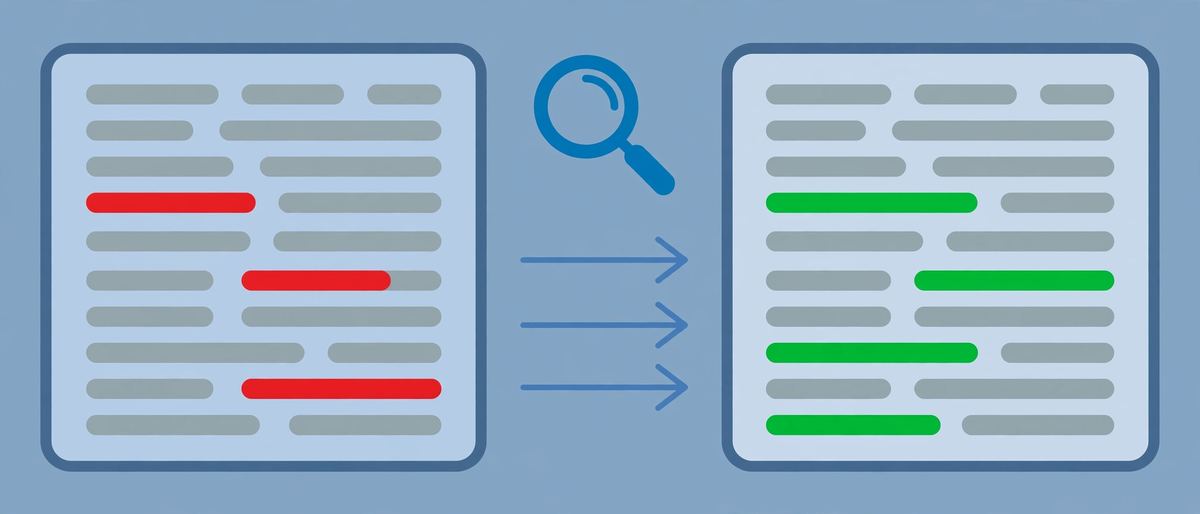
A text compare tool online free should do one job well: take text A and text B and show you the gap between them. Paste the original into the left box and the revised version into the right box, and the comparison appears automatically — added words highlighted in one colour, removed words in another, unchanged words left plain. Next to the result you get three numbers: the similarity score, an estimate of how much wording still overlaps, and the count of changed words. Students use it to compare essay drafts before submitting, writers use it to check what an editor changed, and anyone can use it to compare two texts online free, without complications: paste, look, copy.
Word-by-Word Diff: How the Token Comparison Actually Works
This is a diff text checker word by word: your text is split into individual words, and each word in the first text is matched against the second, ignoring letter case. Matches stay plain; words that appear on only one side get highlighted as added or removed. Because the comparison works on words, pure formatting changes — extra spaces, line breaks — do not count as differences. The similarity score is the share of words the two texts have in common: the higher it is, the less the wording changed. Two honest limits: this is a word-level comparison, not a character level diff checker online, so it will not flag a single changed letter inside an otherwise identical word; and it compares wording, not meaning — a heavily paraphrased text can score low while saying the same thing.
Reading the Result: One Inline Visualizer, Not Two Columns
The two input boxes sit side by side — original on the left, revised version on the right — but the result itself is one single visualizer underneath, not two highlighted columns. Removed words appear in red with a minus sign and a strikethrough, added words in green with a plus sign, unchanged words plain. Read it left to right and you can find what changed between two versions of text without re-reading everything. If you are used to unified diffs — the single-column style with plus and minus lines that programmers know from version control — then this result will feel familiar: it is an inline, unified-style view, with the change markers inside one running text. There is no toggle between side-by-side and unified result views, and that is deliberate: one view, read in order, is the easiest to scan.
Compare Two Documents Online Without Uploading Anything
You can compare two documents online without uploading them anywhere: just copy the text out of the document and paste it into the two boxes. The comparison happens inside your browser tab — there is no server doing the work, so there is nothing to intercept and nothing to store. That makes this an online diff tool with no data stored: close the tab and your texts are gone. It is also a compare text online without creating account tool — no registration, no email, no free-trial clock. Tools that make you upload files first can keep a copy on their servers; here there is no upload step at all, so that risk does not exist.
Everyday Uses: Drafts, Contracts, Code and Proofreading
Writers compare drafts online free no signup to see what an editor or a rewriting pass actually changed, sentence by sentence. As a free text comparison tool for contracts, it shows which clauses were added, removed or reworded between two versions of an agreement — useful before you sign, though it flags wording changes, not legal meaning, so read anything important carefully yourself. Developers can use it as a free diff checker for code and text: paste two snippets and see the changed lines, keeping in mind it treats code as plain text with no syntax awareness. Proofreaders reach for it as a text difference finder for proofreading — paste the before and after to confirm only the intended fixes went in. Whatever the job, to compare two texts and highlight differences is the whole point, and it costs nothing.
What the Top Diff Checkers Do Not Tell You
The biggest names in this space all rank for diff checker and text diff checker, and all three share the same gaps. First, none of them shows a similarity percentage on its free page: the largest one shows no score at all, the second shows no score at all, and the third shows only raw counts of common, new and removed words — no percentage you can quote. If you need a number, you have to compute it yourself or pay. Second, the free tier is gated in practice on the largest site: the unified view, word and character precision, syntax highlighting, live re-comparison and merging are all marked free to try and unlimited only on the paid plan, and saving or sharing anything needs an account. Third, privacy is weaker than the headlines suggest: one rival sends your pasted text to its own server and then warns you to use an offline tool for anything sensitive, and the largest one only gives true on-device privacy through a separate desktop app sold on a trial. All three also carry advertising around the tool. This page is the opposite on every point: a real similarity score, no account, no upload, no ads, and the whole comparison runs in your browser tab. That is also why the guide here names competitors plainly instead of pretending they do not exist. A diff checker online free tool earns trust by showing its limits, not by hiding the alternatives.
Five Questions No Top Page Answers Properly
Search how do you compare two texts and the top results are tool homepages, not explanations — no page actually walks through the answer. Here it is, plainly: paste version A and version B, read the inline visualizer left to right, and check the four numbers. That is the whole method, and it works for any two texts. If you want to compare two essays for similarity, the honest workflow is different from what plagiarism tools sell: a diff checker compares your two drafts against each other, which is exactly what you need when you are revising — first draft against final draft, your paragraph against your rewrite. It cannot compare your essay against the internet, so it cannot prove originality; for that you need a plagiarism service, and any page that blurs the two is misleading you. The same applies when you compare two papers for similarity: use the diff view to see what changed between versions of your own paper, and use a dedicated similarity service for the against-the-database question. How to find similarities between two texts is the same question asked backwards: the visualizer shows you the unchanged words in plain text, and the Wording Still Similar number tells you the share. And what is a good program to compare two text files? For quick, private, no-install comparisons in a browser, this page is the answer; for heavy code work inside a project, a desktop tool built for version control is the better fit — and this guide says so rather than pretending one tool fits every job.
Diff Checker FAQs
Is this diff checker really free with no signup?
Yes. It is a diff checker online free no signup tool in the full sense: no account, no email wall, no trial that expires, no paywalled features. Open the page, paste your texts, read the diff — compare text online free no account, as many times as you like.
Are my texts uploaded to a server or stored anywhere?
No. The comparison runs entirely in your browser, so your texts never leave your device. Close the tab and they are gone — nothing is saved, logged or sent anywhere. That is the honest answer behind the online diff tool no data stored promise.
How do I compare two text files online?
Open each file, copy its text, and paste the two versions into the left and right boxes. There is no file-upload button — how to compare two text files online here means pasting rather than uploading, which is also why nothing of yours ever reaches a server.
What does the similarity score mean?
It is a precise number, not a feeling: take the set of unique words in each text, count the words both sets share, and divide by the size of the combined set. Example — "The quick brown fox jumps over the lazy dog" against "The quick red fox leaps over the lazy dog": the two texts share 6 unique words out of a combined 10, so Similarity is 60%. A score near 100 means almost nothing changed; a low score means heavy rewriting. Note the second number beside it, Wording Still Similar: that one counts how many of the original words survive in order (here 7 of 9, or 78%). Similarity and Wording Still Similar answer different questions, which is why they differ. Both measure wording overlap only — neither is a judgment of quality, and a low score does not prove originality.
Does the diff work word by word or character by character?
Word by word. This is a diff text checker word by word, not a character level diff checker online — it highlights whole added or removed words rather than single changed letters. Because text is split into words first, the tool also works as a text diff tool that ignores whitespace: extra spaces or line breaks alone will not show up as differences.
Can I compare code with this diff checker?
Yes — paste two code snippets and it will highlight the changed words and lines, which makes it a handy free diff checker for code and text. One honest note: it treats code as plain text, so it has no syntax awareness and will not understand what the change means, only where it is.
Does it show a side-by-side or a unified diff view?
Both, in different places. The two input boxes are side by side: original on the left, revised version on the right. The result, though, is a single inline visualizer in the unified style — one running text with removed words marked minus and added words marked plus. There is no toggle between two result views; the one inline view is the whole result, and for most readers it is the easiest to scan.
Is this a plagiarism checker?
No. It compares only the two texts you paste against each other; it does not search the web or any database, and it cannot tell you where a text came from or whether it is original. It is a difference finder, not a plagiarism detector.
Can I use it to check what changed in a contract?
Yes — paste the old and new versions to find what changed between two versions of the text, clause by clause. That makes it a useful free text comparison tool for contracts before signing. The honest limit: it shows wording changes, not legal consequences — for anything binding, have a person who understands contracts read it too.
Do I need to register or create an account?
No. This is an online text difference checker no registration: there is nothing to sign up for and no account to create. If you want to compare text online without creating an account, that is exactly what this page is — open, paste, compare, done.
How do I compare two essays for similarity?
Paste your first draft in the left box and your revised draft in the right box. The visualizer shows exactly what changed, and the Wording Still Similar number tells you how much of the original wording survives. That is the right tool for revision: it compares your two versions against each other. It does not search the internet or a database, so it cannot tell you whether your essay matches someone else's work — that is a plagiarism checker's job, and the two should not be confused.
How do I compare two papers for similarity?
The same way: paste the two versions of your paper and read the inline diff. If you searched how to compare two papers for similarity, this is the workflow: version against version, highlight by highlight. For version-to-version comparison — what did the co-author change, what did the revision actually alter — a diff checker is the precise instrument. For the different question of whether your paper overlaps published work, you need a similarity service with a database behind it. Use each tool for the question it can actually answer.
What is a good program to compare two text files?
It depends on the job. For a fast, private comparison with nothing to install, this browser page is the good answer: paste, read, done, nothing leaves your device. For code inside a large project, with branching and history, a desktop version-control diff tool is the better fit. For comparing files you cannot paste — very large documents, or files in formats that do not copy cleanly — a dedicated desktop comparison program is the honest recommendation. This page does not pretend to be all three.
How do you compare two texts, step by step?
One: decide which text is the original and which is the revised version, and put them in the matching boxes. Two: read the inline visualizer left to right — red minus words were removed, green plus words were added, plain words did not change. Three: check the four numbers — Similarity for shared-word overlap, Wording Still Similar for surviving original wording, Words Changed for the total count, and Lexical Diversity for how varied the revised vocabulary is. Four: if you are reviewing someone else's edits, copy or note every substantial change before you accept the new version. That is also the complete answer to how to compare two texts for differences: same four steps, same reading, no extra tool needed.