Resize Image Online Free – No Upload, No Sign-Up
Resize Image Online Free — Exact Pixels, Social Presets, No Upload
Need to resize an image online without uploading it to a stranger's server? This free image resizer runs 100% in your browser: type exact pixels, scale by percentage, or crop with ready presets for Instagram posts and stories, YouTube thumbnails, Facebook covers, WhatsApp profile pictures and passport photos — then download as JPG, PNG or WebP. No sign-up, no watermark, and your photo never leaves your device. Only need a smaller file at the same dimensions? Our image compressor handles that — and if the format is wrong rather than the size, our image converter is the right page.
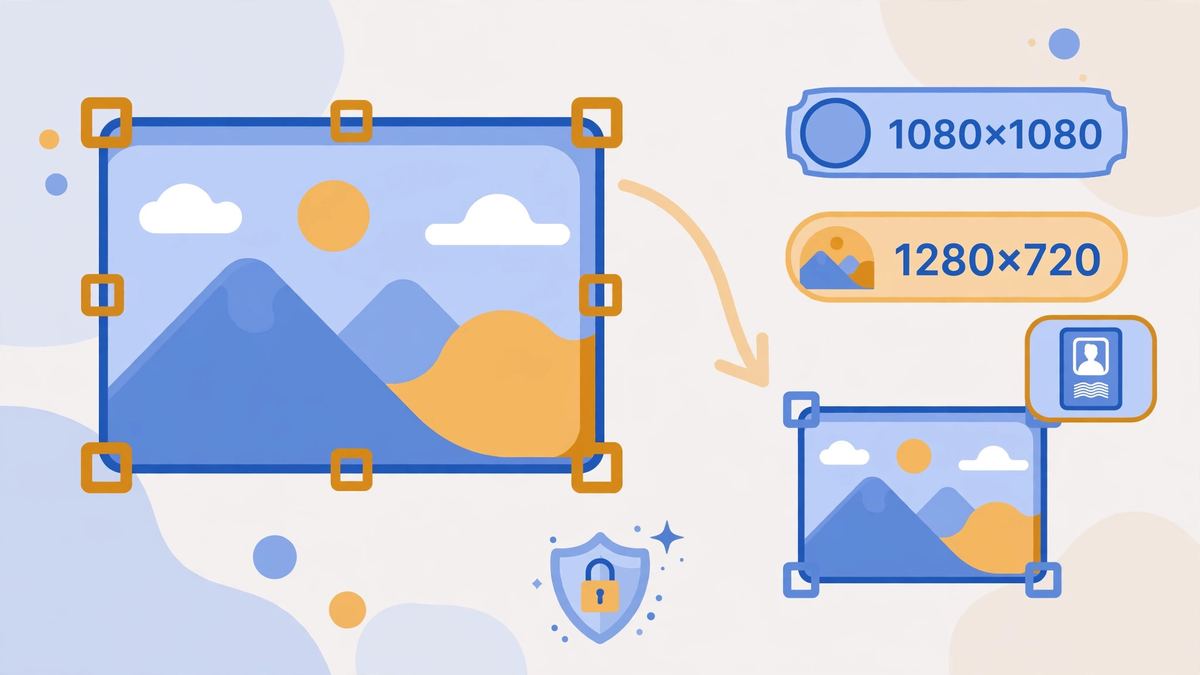
Resize Image Online Free: 100% in Your Browser, Nothing Uploaded
Almost every site that lets you resize image online asks you to upload the photo first: it travels to their server, waits in their queue, and you download it back — while a copy of your personal picture sits on a computer you do not control. This page is built the other way around. The resizing code runs entirely inside your own browser tab, so a resize image without uploading tool is a real description here, not a marketing phrase — the file is read locally, resampled locally, and the download is generated locally. That is also what makes it a genuine free image resizer no watermark no signup deal: no account to create, no email to confirm, no credits that run out, no logo stamped onto your picture. Open the page, drop in a photo, pick your size, download the result. The honest limit is your own device — a very large original takes a moment to process on a phone or laptop — but nothing you drop in is ever sent anywhere.
Resize Image to Exact Pixels Online — 1920x1080 and Any Size
Guessing dimensions is how banners come back blurry. When you resize image to exact pixels online, you type the width and height yourself — 1920x1080 for a full-HD wallpaper, 1080x1080 for a square post, 820x312 for a Facebook cover, 1280x720 for a YouTube thumbnail — and the tool lands on those numbers precisely. If you only know one side, lock the aspect ratio and the other side follows from the original proportions, so nothing stretches or squishes. And if a platform just says half the size, the percentage mode answers how to resize an image to specific pixels online without doing the maths: choose 50% and the page works out the exact pixels for you. One honest note: typing exact pixels changes dimensions, not file weight — a huge original resized to 1920x1080 can still be a heavy file, which is why the output size shows before you download.
One-Click Sizes: Instagram, YouTube, WhatsApp, Passport Photos
Most people do not resize photos for fun — they do it because a platform demands a size. This page ships the sizes people actually search for, so pick the preset, nudge the crop box if you like, and download:
- Resize image for instagram post 1080x1080, portrait 1080x1350, or story 1080x1920 — so the app stops cropping your photo.
- Resize image for youtube thumbnail 1280x720, the exact 16:9 frame YouTube expects.
- Resize image for facebook cover 820x312, where a few pixels off makes the cover look wrong on desktop.
- Resize image for whatsapp profile picture at a small square size, centred so your face is not cut.
- Resize image for passport photo online with the standard 2x2 inch and 35x45 mm crop ratios.
Resize Image Without Losing Quality: The Honest Version
People searching resize image without losing quality deserve a straight answer. Shrinking a photo throws pixels away for good — the smaller copy contains less information, and nothing can bring the original detail back, so keep your original file safe. Enlarging goes the other way: the tool invents new pixels by blending neighbours, which looks softer the further you push it. You can resize image without cropping the important parts by leaving the ratio lock off and fitting the shorter side. Where you genuinely lose nothing visible is the middle ground: cutting an oversized camera photo down to screen size usually looks identical, because a screen cannot show the extra detail anyway. Format matters too: you can resize png image online free and keep every pixel perfectly, since PNG is lossless, and you can resize webp image online free the same way — JPG and WebP trade a whisper of quality for smaller files, and the quality slider shows the trade live. And the best everyday reason to shrink is simple: resize image for website loading speed, because a page full of full-resolution photos loads slowly while the same photos at display size load in a snap.
Resizing, Compressing, Converting: Which Tool Do You Need?
This page changes dimensions — pixels and crop. Two neighbouring jobs confuse people, so here is the map. If the dimensions are already right and only the file is too heavy for an email, a form or a website, our image compressor squeezes the file size without touching the pixels. If the size is fine but the format is wrong — a tool that will not open WebP, an old phone that chokes on PNG — our image converter switches between JPG, PNG and WebP. And the honest answer to a question people keep asking: can you resize multiple images at once free here? One photo at a time. Dropping the next photo is quick — no account slowing you down — so a folder of ten is ten fast rounds of drop, size, download, but this page does not pretend to be a batch engine.
What the Top Image Resizers Do Not Tell You
The pages that rank highest for image resizer, resize image online and resize photo for instagram win on brand and breadth, not on privacy or guidance. Adobe Express, the second result for image resizer and resize image online, is upload-based with a 40MB cap, a single-image workflow, and no batch — and while it does offer social presets and crop, its five FAQs contain no troubleshooting for failed uploads, blurry results, format errors or aspect-ratio problems. Simple Image Resizer, third for image resizer and first for the Instagram query on the first run, is upload-based with files kept until a download link expires after 24 hours, free batch capped at just 3 photos, crop split into a separate tool, a third-party ad overlay on the page, and a guide of only about 301 words with 3 FAQs — while its own Premium limits contradict each other, up to 25 files in the banner against up to 10 in the FAQ. iLoveIMG, third for resize image online, has effectively no guide at all — about 20 words — no presets on its landing page, crop as a separate tool, upload-based workflow with Drive and Dropbox options, and a banner ad. The top result for both head queries, imageresizer.com, could not even be loaded for verification because its Cloudflare check kept resetting. This page is the only one in the top set that combines browser-local resizing, crop inside the same tool, named presets including Full HD 1920x1080, and a real troubleshooting guide. That combination is the argument, and every claim in it is checkable on the rival pages named here.
Without Cropping, Without Losing Quality, Without Installing Anything
How do I resize an image without cropping? The question appears in People Also Ask, and the top written results are generic tools, videos and forum threads — no dedicated guide on a resizer tool page. The answer has three honest parts. Proportional scaling shrinks or enlarges the whole image, changing its pixel size but never its shape — nothing is cut, and nothing is stretched. Padding, also called letterboxing, fits the image into a target shape by adding bars, which preserves everything but changes the frame. Stretching forces the image into a target shape by distorting it, which is how faces go wide and circles go oval. This tool's aspect-ratio lock is the proportional route: change one dimension and the other follows, so nothing is cut and nothing is distorted. If the destination demands an exact shape, crop first in the crop tab, then resize — crop decides what stays, resize decides how big it is, and doing them in that order is what keeps faces normal. Resize image to 1920x1080 without losing quality is the second unanswered question, and its honest answer starts with direction. Downscaling to 1920x1080 from a larger photo loses pixels but keeps visible quality, because you are discarding data the display cannot show. Upscaling a small photo to 1920x1080 cannot add detail that was never captured — it interpolates, and the result is softer, however good the algorithm. This tool offers Full HD 1920x1080 as a named preset precisely so the downscale case is one click, and its honest warning applies to the upscale case: a small source resized up will look soft, and no resizer, here or anywhere, changes that arithmetic. The third is offline resizing. Can I resize an image offline? The top results are downloads, a Microsoft Store app, a PowerToys document and forum threads — no dedicated guide for browser-local, no-install resizing. The honest answer for this page is that it processes files inside the browser tab with no upload and no installation, so it works on machines where you cannot install anything and on connections you do not trust. It is not a desktop app and it does not claim to be; it is a web page that never sends your photos anywhere, which for most people is the practical meaning of offline.
FAQ
Is this image resizer really free?
Yes. Resize image online free no signup: no account, no credits, no trial clock, no watermark on the download. The tool runs in your browser, so there is no per-image server cost to pass on to you.
Do I need to upload my photo to resize it?
No. This is a resize image without uploading tool — the photo is decoded and resized inside your browser tab, so it never leaves your device. Close the tab and nothing of it remains anywhere.
Will resizing reduce the quality of my photo?
Shrinking discards pixels permanently, so keep your original file — but cutting an oversized camera photo down to screen size usually looks identical, since screens cannot show the extra detail anyway. Enlarging always looks a little softer; that is physics, not this tool.
How do I resize an image to exact pixels online?
Choose Exact pixels, type the width and height — for example 1920x1080 — and download. Lock the aspect ratio if you only want to change one side; the other follows from the original proportions.
How do I resize an image for an Instagram post or story?
Pick the preset: 1080x1080 for a square post, 1080x1350 for a portrait post, or 1080x1920 for a story. Adjust the crop box so nothing important is cut, then download as JPG or PNG.
What is the right size for a YouTube thumbnail?
YouTube expects 1280x720 — a 16:9 frame. The preset sets exactly that; crop your photo to 16:9 first if you want the thumbnail filled edge to edge.
Can I resize a photo for a WhatsApp profile picture or a passport photo?
Yes. There is a square profile preset for WhatsApp and other social profile photos, and passport crop ratios of 2x2 inches and 35x45 mm for passport and ID photos. Facebook covers use the 820x312 preset.
Can I resize PNG and WebP images too?
Yes. You can resize png image online free and keep every pixel and transparency, and you can resize webp image online free the same way. JPG works too, with a quality slider for smaller files.
Can I resize multiple images at once?
One at a time: drop the photo, set the size, download, then drop the next — no account or queue slowing you down. This is not a bulk image resizer free no signup engine; it is a single-image tool that works fast.
What is the difference between resizing and compressing an image?
Resizing changes pixel dimensions — this page. Compressing keeps the dimensions and shrinks the file size — that is our image compressor. Changing the format is a third job, handled by our image converter.
How do I resize an image without cropping?
Keep the aspect-ratio lock on and change one dimension — the other follows proportionally, so nothing is cut and nothing is stretched. If the destination demands an exact shape, use the crop tab first to choose what stays, then resize to the exact pixels. What you must not do is force both dimensions independently: that stretches the image and distorts faces. Proportional scaling, padding with bars, and cropping are the only three honest routes to a target shape, and this tool offers the first and third in the same place.
How do I resize an image to 1920x1080 without losing quality?
Use the Full HD 1920x1080 preset in one click. Downscaling a larger photo to 1920x1080 keeps visible quality, because you are discarding pixels the display cannot show. Upscaling a small photo to 1920x1080 cannot add detail that was never captured — the result will be softer, and no resizer changes that. If your source is smaller than 1920x1080, the honest choice is accepting softness, finding a larger original, or displaying it smaller instead of forcing the upscale.
Can I resize an image offline?
This page processes your photo inside the browser tab — nothing is uploaded, nothing is installed — so it works on machines where you cannot install software and on connections you would rather not trust. It is a web page, not a desktop app, but for the practical question people mean by offline — no upload, no install, no account — the answer is yes. One honest limit: this page resizes one photo at a time, so a folder of images is a series of fast rounds, not a single batch job.
Can I resize multiple images at once here?
Honestly, no — this page resizes one photo at a time, and it says so plainly rather than pretending otherwise. Dropping the next photo is quick, with no account slowing you down, so a folder of ten is ten fast rounds of drop, size, download. If you need true bulk resizing in one job, that is a different tool's job; what this page gives you instead is browser-local processing, crop in the same tool, named presets and no upload for every single photo.