Free Sentence Expander Online – Lengthen Text & No Sign-Up
Free Sentence Expander: Expand My Sentence Online — No Sign-Up, No Upload
Need to expand your sentence online for free but dread the usual trade: three free tries, then a sign-up wall, then your text living on someone else's server? This free sentence expander works the opposite way — paste a short sentence, choose a depth, and watch it grow into a longer, more developed version instantly. No sign-up, no limits, no upload: everything happens inside your own browser tab, so the words you type never travel anywhere. It is an honest drafting aid for students, bloggers and professionals who want to make a sentence longer, add depth to their writing, or increase word count free — never a detection-bypass trick, just your own ideas with more connective detail.
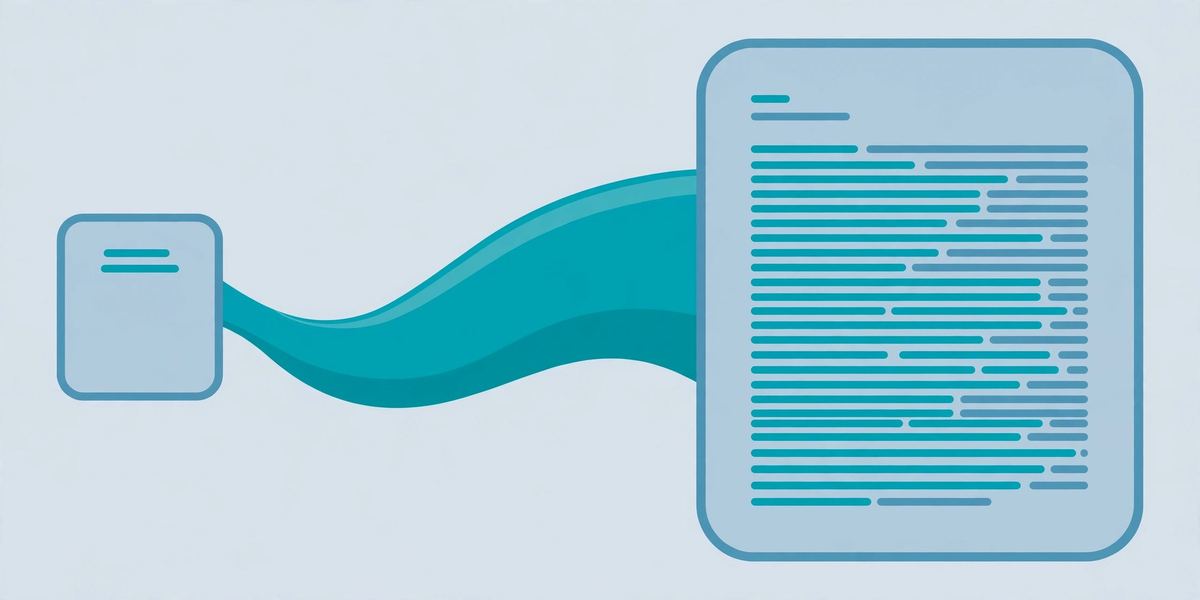
A Sentence Expander That Never Uploads Your Text
Nearly every sentence expander free on the web sends your words to a server before doing anything — PerfectEssayWriter and Jenni AI wrap the tool behind an account, HyperWrite's 'Increase Word Count' costs $19.99 a month, and MyEssayWriter hands you three free expansions before the paywall drops. This sentence extender takes the other road: the expansion engine is plain JavaScript running in your browser tab, so the sentence you paste is read locally, expanded locally, and the result is produced locally. Open your browser's network tab while you use it and you will see the proof — no request carries your text anywhere. That makes it a genuine expand-sentence-without-signup tool rather than a free trial in disguise. There is no account, no email capture, no credit counter, and no 'daily quota' like MiniWebtool's cap — open the page and expand as much as you like. The honest trade-off is stated up front: a browser-side tool will not write with the polish of a large paid AI model, and it will not do your thinking for you. What it does is the unglamorous, useful job — adding connective detail, varied sentence lengths and clarifying phrases to a draft you wrote yourself.
How to Make a Sentence Longer (Without Paying a Dime)
The question 'how to expand a sentence for free' has a practical answer, and this page is built around it. Paste your short sentence into the box at the top of the page and pick one of three depths: Moderate (2x) for a balanced lengthening, Extensive (3x) for systematic development, or Scholarly (4x) for the kind of dense, academic prose a thesis demands. The tool adds depth to your writing by elaborating on your own ideas — connecting clauses, spelling out implied context, and varying sentence rhythm so a terse note becomes developed prose. Try it with 'The climate is changing.' and you get back a fuller paragraph that says the same thing with more connective tissue. To how to make a sentence longer in practice: use the Moderate depth first, read the result, and re-run only the sentences that still feel thin — expanding everything blindly produces padding, and your reader can tell. Every expansion preserves your original wording's intent; the words grow around your idea instead of replacing it. And because there is no sign-up wall, you can run that try-read-adjust loop fifty times for free — something the capped tools literally will not let you do.
Sentence Extender, Sentence Lengthener, Sentence Elongator: Same Job, Different Name
Search for this tool long enough and you will meet the whole synonym family — sentence extender, sentence lengthener, sentence elongator, sentence increaser. They all describe the same function: taking concise text and making it longer with meaningful detail, and this page answers all of them. A free sentence extender online is also what students search for under 'sentence expander for students': whether the assignment needs a 200-word paragraph from three bullet points or an essay that must clear a word minimum, the workflow is identical — write your honest first draft, expand the thin sentences, then review and edit the result as your own work. This is where the honest-drafting-aid framing matters: the tool helps you develop your own ideas, not fabricate them, and it is never marketed as a way to fool anyone. Many top results brand themselves 'AI sentence expander' while running the same expansion on their servers with your data attached; here there is no server at all, so 'AI' is not a claim this page makes about itself — what you get is a transparent, repeatable expansion engine you can inspect and trust. The synonym cluster matters for one more reason: whatever you typed to get here — extender, lengthener, elongator — you have landed on the tool that does it without asking for an email first.
From One Sentence to a Whole Paragraph or Essay
Most people who land on a paragraph expander free no signup page are not expanding one sentence in isolation — they are trying to expand my paragraph free, how to make my paragraph longer, or honestly, to make my essay longer. The workflow scales: paste your full short paragraph, and the tool expands each sentence in turn so the paragraph grows as a unit with connective detail between the ideas. Need to make text longer online free for an assignment? Expand paragraph by paragraph, then read the whole thing back and trim the lines that wander — expansion adds material, but your judgment decides what stays. Students facing a word-count minimum use the same move to increase word count free: expand the thinnest sentences first, since three expanded sentences add more honest length than padding every line. Bloggers use it in reverse — a terse product note becomes an introductory paragraph that actually sets context for the reader. One caveat the honest pages will tell you: expansion cannot invent knowledge. If your original says nothing, the longer version says nothing more elegantly. Write your facts first, then expand the sentences that carry them — the result reads as developed thinking instead of fluff, and it stays entirely your own work.
Sentence Expander vs Paraphraser: Which One Do You Actually Need?
This is the most useful question in the FAQ and the one most tool pages dodge: sentence expander vs paraphraser is a real choice, and picking wrong wastes your time. A paraphraser rewrites your sentence at the same length with different words — same size, new phrasing. A sentence expander keeps your words' meaning and makes the sentence longer by adding detail, connectors and clarifying phrases. If your sentence already says what you want but sounds thin or too terse, you want the expander. If your sentence is the right length but sounds awkward or repetitive, you want a paraphraser. Neither tool — and no tool anywhere — guarantees a readability grade or a detector outcome, despite what some competitors imply; longer, more varied sentences often read better, but the honest answer is that quality comes from your review, not from the tool's promise. The final honest-limits note: this expander works on your own drafts. It will not research facts for you, and you should check every name, number and claim in the expanded version before submitting anything. That is the whole philosophy of this page — a drafting aid that respects your privacy, asks for nothing, and tells you exactly what it can and cannot do.
Troubleshooting: When the Expansion Sounds Like a Template
An expansion that sounds templated is not broken — it is the tool working as designed, and the fix is editing, not re-expanding. The base expansion is rule-based: it keeps your sentence, adds a clarifying frame, and appends a fixed elaboration block about systematic observations and validity — which is why two different inputs in testing produced outputs that differed only in the first sentence, with the same second sentence repeated. Re-expanding the same input will not invent new detail, because templates do not invent; they elaborate. The workflow that works is expand-then-edit: take the expanded draft, delete the generic additions, and add your own specifics — your examples, your numbers, your reasons — since the expander cannot add what you never gave it. If every paragraph in a document has the same expanded shape, mix expanded and original sentences, because a paragraph where every sentence was expanded sounds mechanical no matter how good the template is. No rival page examined in research publishes a troubleshooting section at all — this one exists so a templated output costs you an edit, not a second tool.
Rule-Based vs AI Expansion: What Changes When You Click Enhance with AI
The page offers two expansions, and confusing them causes the commonest disappointment. The base expansion is rule-based and runs entirely in your browser tab: templates elaborate your sentence, nothing is uploaded, there is no word limit, and the output is predictable — which is why it repeats its elaboration block across inputs. The Enhance with AI button is the optional second step: it sends the text for AI assistance, and if that assistance is unavailable the page falls back to the built-in offline expansion with an honest notice saying so — a fallback visible in the tool's own code, though the button was not clicked during this page's live test, so the AI output itself is not verified here. The practical rule follows: use the base expansion for private drafts and quick length, use Enhance with AI when you want genuinely new phrasing rather than templated elaboration, and always edit either output, because neither the template nor the model knows your facts. A page that names which expansion is local and which is assisted lets the user choose privacy or novelty deliberately — and this page does, which is rarer than it should be.
Sentence Expander FAQs
How do I expand a sentence for free?
Paste your short sentence into the box at the top of this page, pick a depth (Moderate 2x, Extensive 3x, or Scholarly 4x), and the expanded version appears instantly. It is free with no sign-up and no limits — the expansion runs in your browser.
How can I make a sentence longer?
The reliable way is to add connective detail: spell out implied context, join related clauses, and vary sentence rhythm. This tool does exactly that to your own draft — then read the result and trim any line that feels like padding.
What is the difference between a sentence expander and a paraphraser?
An expander makes your sentence longer by adding detail; a paraphraser rewrites it at the same length with different words. If your sentence sounds thin, use the expander; if it sounds awkward but is the right length, use a paraphraser.
Is this sentence expander really free with no sign-up?
Yes — no account, no email, no credits, no daily quota. Unlike tools that give you three free expansions and then charge, this one runs unlimited in your browser.
Can it expand my paragraph or make my essay longer?
Yes. Paste a full paragraph and each sentence expands in turn so the paragraph grows as a unit; students use the same flow to lengthen essays and hit word minimums. Always review the expanded text as your own draft before submitting.
Can it help me increase my word count for free?
Yes — expanding your thinnest sentences is the most honest way to increase word count free. Three expanded sentences add more real length than padding every line, and the result still reads like your own writing.
Is this a good sentence expander for students?
It is built for that: free, no sign-up, no upload, and it works on your own drafts. Write your facts first, expand the thin sentences, then check every name and number in the result before submitting — it is a drafting aid, not a substitute for your work.
Will the expansion change my meaning?
It can shift wording and emphasis, so compare the result with your original and verify every fact, name and number before using it. It is a drafting aid, not a substitute for your own judgment.
Is my text uploaded to a server?
No. The expansion runs entirely in your browser tab — your text never leaves your device. You can verify this in your browser's network tab while using the tool.
Does it guarantee a readability or AI-detector result?
No. Longer, more varied sentences often read better, but no tool can guarantee a readability grade or any detector outcome. Be wary of any page that promises one — this one does not.
Why does every expansion end with the same sentence?
Yes — by design. The base expansion is rule-based: it keeps your sentence and appends a fixed elaboration block, so different inputs share the same second sentence. Re-expanding will not invent new detail. Expand once, then edit: delete the generic additions and add your own specifics, examples, and numbers.
Why did a 4-word sentence grow to 26 words at 3x?
Because the depth buttons describe ambition, not exact multipliers. The base expansion adds a fixed elaboration block, so a short sentence grows proportionally more than a long one: in testing, a 4-word sentence became 26 words at Extensive (3x). For longer inputs the same block adds proportionally less. Judge the output by whether it reads well, not by whether it hit an exact multiple.